Multilingual Ghost CMS Blog: 9. Language Switching on Author and Post Pages


There were still two issues left in the existing theme.
- On Tag pages, only posts in the selected language are shown, but on Author pages, both English and Korean posts appear together.
- Even if a translated post exists, changing the language in the Language selector takes you not to that post, but to the main page of the selected language.
In 0.0.9, I updated the Author page to work the same way as the existing Tag page, and I changed #multi posts so they go directly to the translated post.
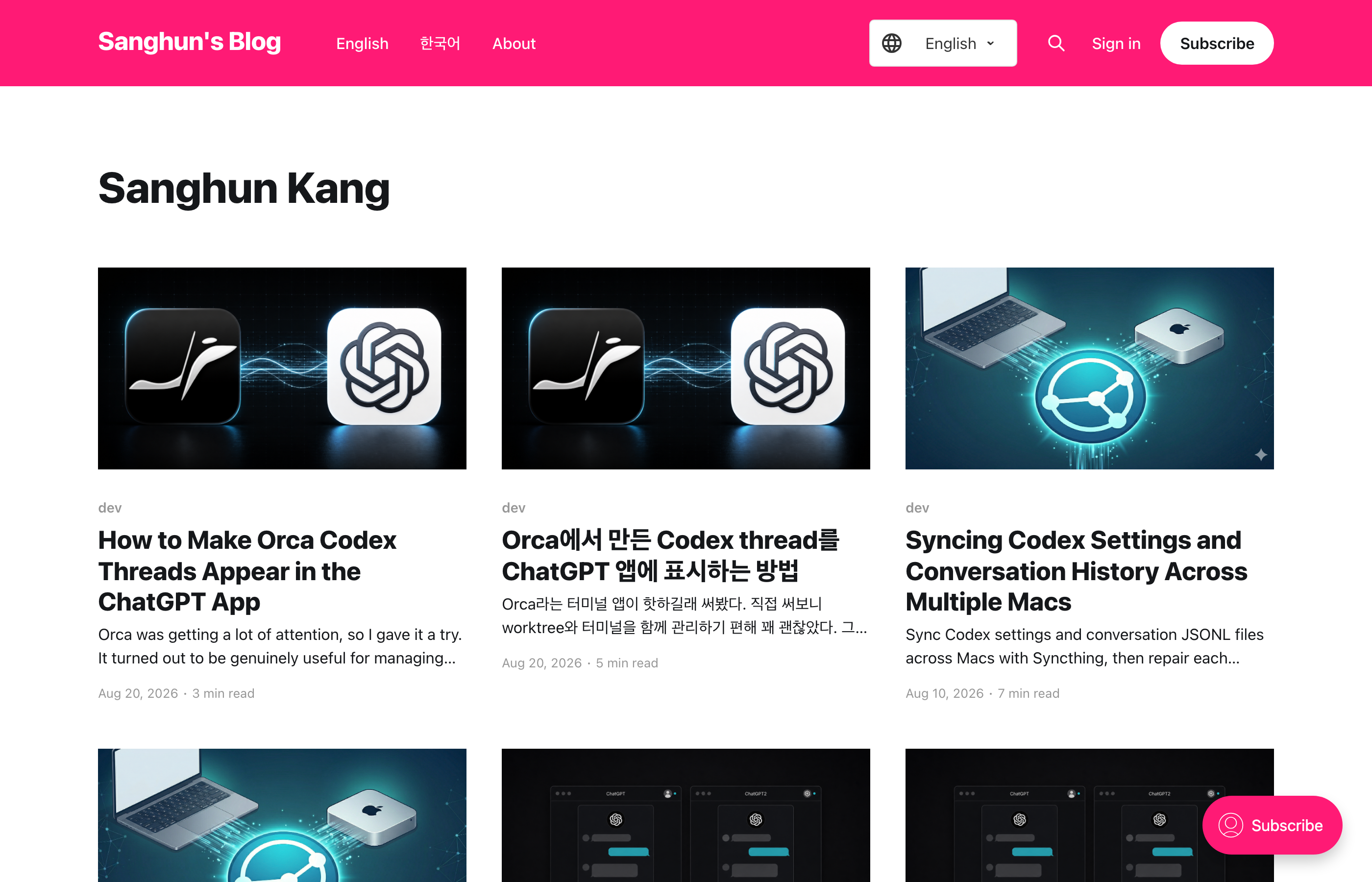
This is the /author/sanghun/ screen in theme 0.0.8. The selector is set to English, but English and Korean posts still appear together in one list.
0.0.9 · Author filtering and post language switching
Adding multilingual handling to the Author page
The current Author page uses this single URL.
/author/sanghun/
When Ghost renders this page, it fetches all of the author's posts without separating them by language. Because the language stored in the browser's localStorage cannot be known on the server, the Handlebars template also cannot prefetch English and Korean posts separately.
I solved this issue the same way as the existing Tag page.
- On the server, all posts are rendered.
- Each post card includes all tags for that post.
- In the browser, the currently selected language is checked.
- Only cards with matching
#enor#koare shown.
author.hbs
The data-tags attribute of each post card includes both public tags and internal tags.
{{#foreach posts}}
    <div class="post-card" data-tags='[{{#foreach tags visibility="all"}}"{{name}}"{{#unless @last}},{{/unless}}{{/foreach}}]'>
        {{> "post-card"}}
    </div>
{{/foreach}}
The important part here is visibility="all". Since #en, #ko, and #multi are internal tags, they would not be included in the {{#foreach tags}} result without this option.
assets/js/util.js
I extracted the shared logic into filterArchivePostsByLanguage() so the Tag page and Author page can use the same filtering function.
function filterArchivePostsByLanguage() {
  const supportedLanguages = ["en", "ko"];
  const selectedLanguage = getSelectedLanguage();
  const postCards = document.querySelectorAll("div.post-card[data-tags]");
  let visibleCount = 0;

  postCards.forEach((card) => {
    let tagNames = [];

    try {
      tagNames = JSON.parse(card.getAttribute("data-tags") || "[]");
    } catch (error) {
      tagNames = [];
    }

    const cardLanguage = supportedLanguages.find((language) =>
      tagNames.includes(`#${language}`)
    );

    if (cardLanguage !== selectedLanguage) {
      card.style.display = "none";
      return;
    }

    visibleCount += 1;
    setTimeout(() => {
      card.style.opacity = 1;
      card.querySelectorAll(".post-card-excerpt").forEach((excerpt) => {
        excerpt.style.opacity = 1;
      });
    }, 10);
  });

  return visibleCount;
}
In author.hbs and tag.hbs, this function is called after the DOM is ready.
document.addEventListener('DOMContentLoaded', function() {
    filterArchivePostsByLanguage();
});
Now on the Author page as well, if the Language selector is set to English, only #en posts are shown, and if it is set to Korean, only #ko posts are shown.
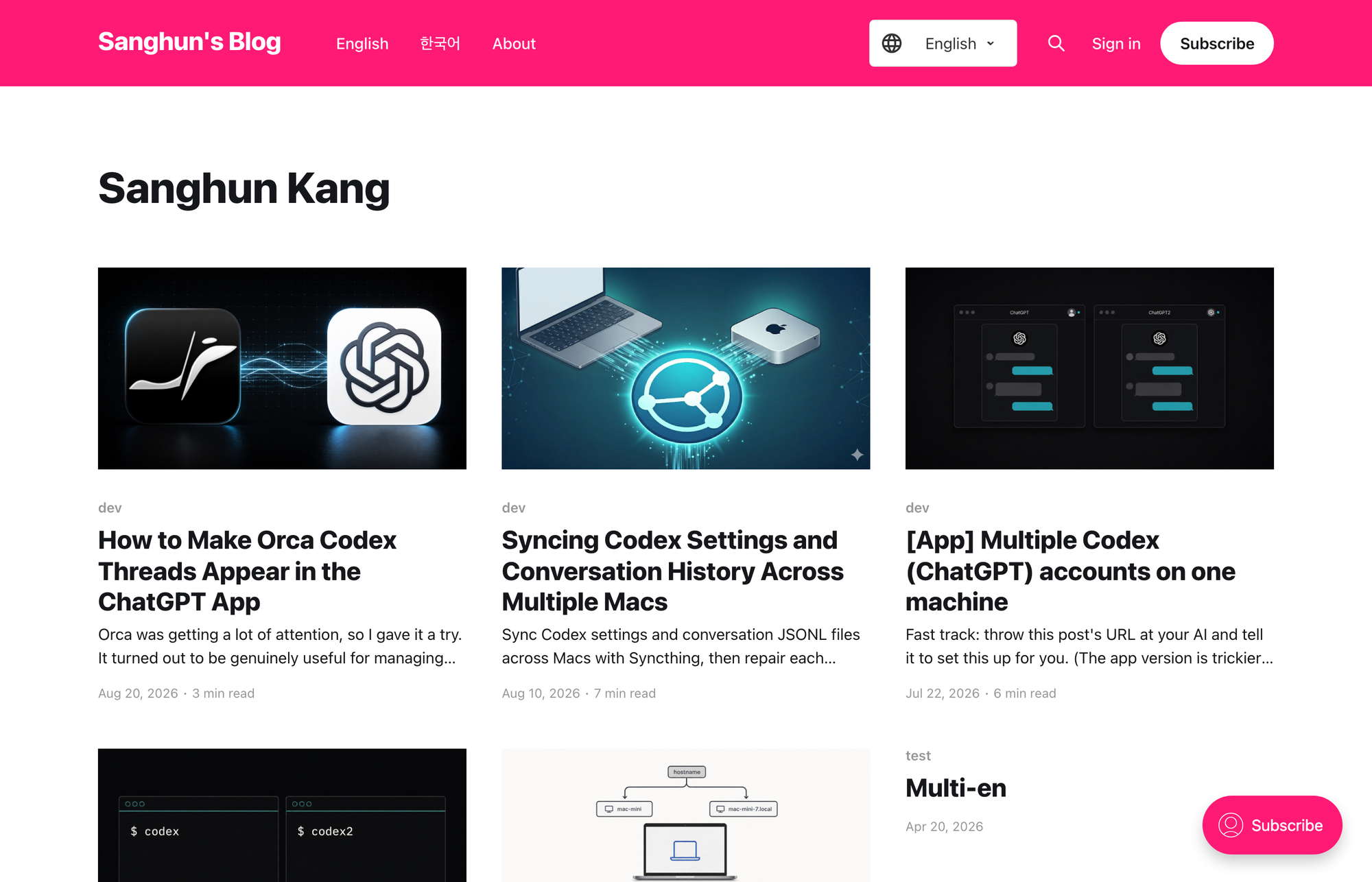
This is the result of selecting English on the same /author/sanghun/ URL. Only #en posts remain.
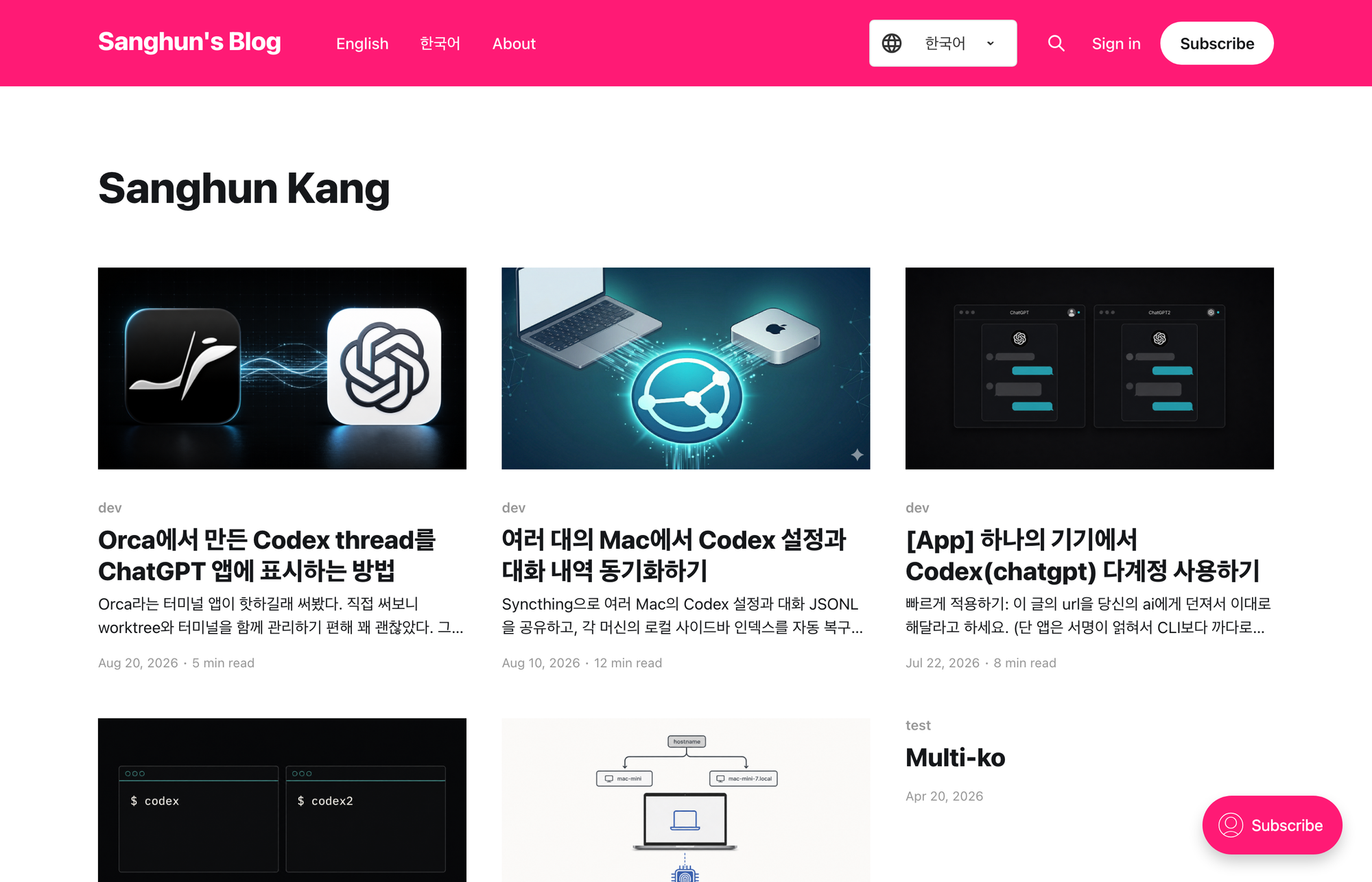
If you select Korean without changing the URL, only #ko posts remain.
Moving to the translated post from a #multi post
In this blog, posts that are translations of each other follow these rules.
- The slug of an English post ends with
-en. - The slug of a Korean post ends with
-ko. - Both posts have the
#multiinternal tag.
For example, the following two posts are translations of each other.
/example-post-en/
/ko/example-post-ko/
In 0.0.8, I used these rules to generate the hreflang URL automatically. In 0.0.9, I extended that so the Language selector can also use the URL that was already computed.
partials/hreflang-multi.hbs
I store the current page's content type, whether it is a #multi post, the current language, and the language-specific URLs in a global object.
window.casperMultiLanguageContext = {
    contentType: "{{contentType}}",
    isMulti: isMulti,
    currentLanguage: lang,
    urls: urls
};
If it is a #multi post, urls has the following form.
{
  en: "https://example.com/example-post-en/",
  ko: "https://example.com/ko/example-post-ko/"
}
default.hbs
When the Language selector value changes, it checks whether the current page is a #multi post. If the conditions match, it immediately moves to the post URL for the selected language.
if (
    contentContext &&
    contentContext.contentType === 'post' &&
    contentContext.isMulti &&
    contentContext.urls[selectedLanguage]
) {
    window.location.href = contentContext.urls[selectedLanguage];
} else {
    window.location.href = selectedLanguage === 'ko' ? '/ko/' : '/';
}
The final behavior is as follows.
#multipost: move to the version of that post in the other language- Post without
#multi: move to the main page of the selected language - Page: move to the main page of the selected language
- Tag or Author page: reload the current URL and show only posts in the selected language
- Any other screen: move to the main page of the selected language
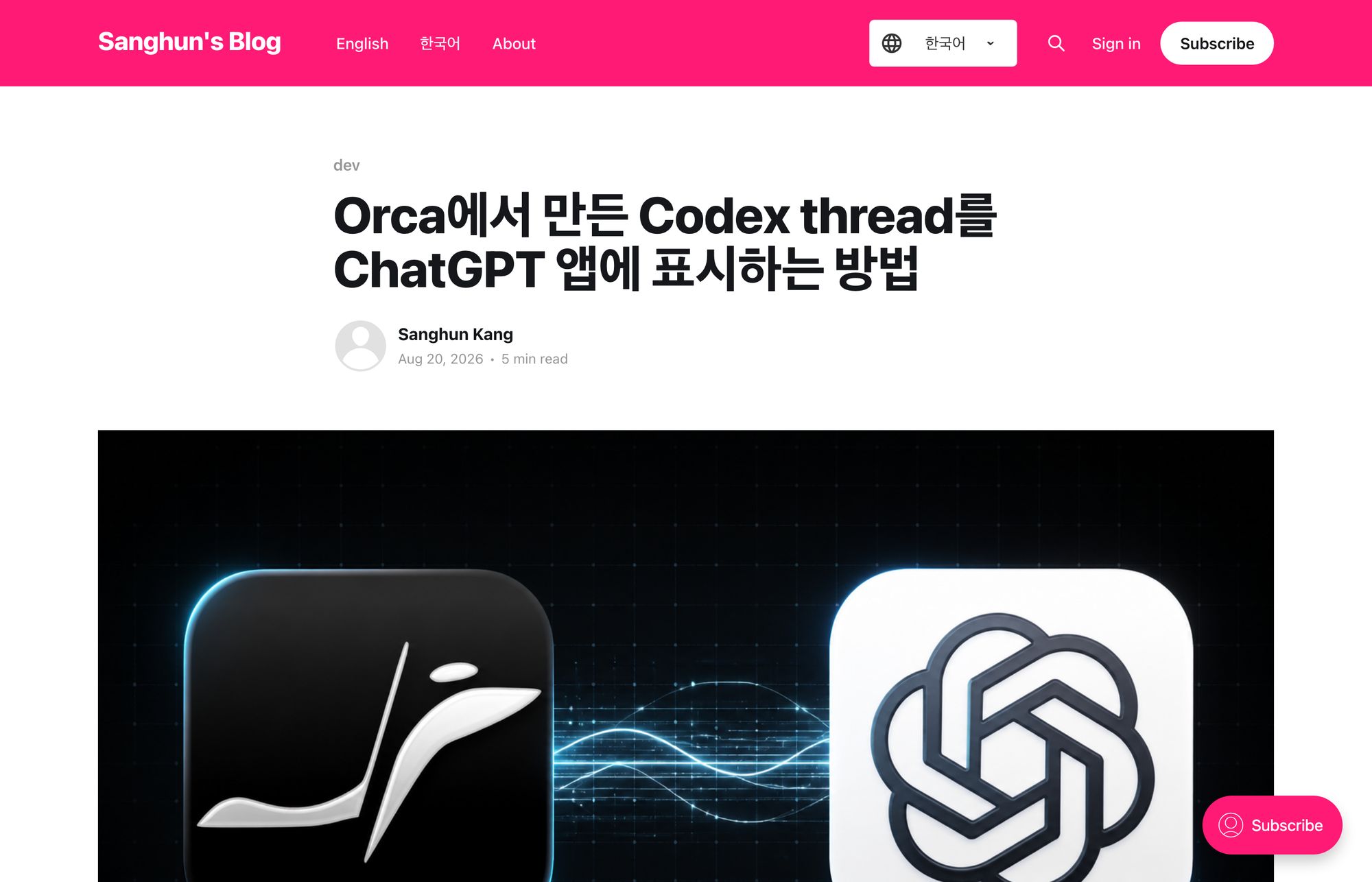
On the Korean translated post, the selector points to Korean.
If you switch the selector to English, it goes directly not to the English main page but to the corresponding /orca-codex-threads-chatgpt-en/ post.
Limitations of Author page filtering
Language filtering on the Author page works by hiding cards that have already been rendered in the browser. As a result, the pagination calculated by Ghost is still based on the full set of posts before language filtering.
As the number of posts grows, the following issues may appear.
- The number of posts actually visible on a page may decrease.
- Some pages may contain very few posts in the selected language.
- The total number of pages may not match the number of posts in the selected language.
On the current blog, this causes no practical problem, so I chose the same approach as the existing Tag page. If accurate language-specific pagination becomes necessary later, it can be changed to a method that adds language-specific Channels without modifying Ghost Core.
Proposal for Language-Specific Author Channels
Result
In 0.0.9, the behavior of the Language selector was changed to fit the context of each screen.
On the Author page, you can now view only posts in the selected language just like on the existing Tag page. On translated #multi posts, it goes directly to the corresponding post without passing through the main page.
I did not modify Ghost Core or the database. Since this change was also handled entirely within the theme, it can be applied as-is in managed hosting environments like ghost.io.