Multilingual Ghost CMS Blog: 7. Adding hreflang


The English home is served at /, and the Korean home at /ko/, but search engines had no information indicating that the two pages were versions in different languages.
Providing users with a Language selector and explaining multilingual relationships to search engines are separate issues. For search engines, you need to use hreflang to indicate the relationship between each language URL.
In 0.0.7, I added hreflang to the English and Korean home pages.

0.0.7~0.0.8 · Home and post hreflang
The hreflang needed for the home page
The home URLs for this blog are as follows.
English: https://sanghunkang.com/
Korean:  https://sanghunkang.com/ko/
I wanted to put the following three links in the <head> of both pages.
<link rel="alternate" hreflang="en" href="https://sanghunkang.com/" />
<link rel="alternate" hreflang="ko" href="https://sanghunkang.com/ko/" />
<link rel="alternate" hreflang="x-default" href="https://sanghunkang.com/" />
en and ko point to the home page for each language. x-default is the default page to use when the user's language does not clearly match either one. Since this blog uses English as the default language, I set it to /.
Why {{#is "home"}} did not solve it
At first, I tried to check whether the current page was the home page in default.hbs and then output hreflang.
{{#is "home"}}
    ...
{{/is}}
However, in Ghost, {{#is "home"}} is true only at the site root, /. Since /ko/ is the first page of a Collection created with routes.yaml, Ghost does not treat it as the site home.
As a result, hreflang appeared on the English home, but not on the Korean home.
Handling it with contentFor
I changed it so that index-en.hbs and index-ko.hbs, which are used by each language home, pass the same hreflang block, and default.hbs outputs it in <head>.
index-en.hbs
{{!< index}}
{{#contentFor "lang"}}en{{/contentFor}}
{{#contentFor "hreflang-home"}}
    <link rel="alternate" hreflang="en" href="{{@site.url}}/" />
    <link rel="alternate" hreflang="ko" href="{{@site.url}}/ko/" />
    <link rel="alternate" hreflang="x-default" href="{{@site.url}}/" />
{{/contentFor}}
index-ko.hbs
{{!< index}}
{{#contentFor "lang"}}ko{{/contentFor}}
{{#contentFor "hreflang-home"}}
    <link rel="alternate" hreflang="en" href="{{@site.url}}/" />
    <link rel="alternate" hreflang="ko" href="{{@site.url}}/ko/" />
    <link rel="alternate" hreflang="x-default" href="{{@site.url}}/" />
{{/contentFor}}
Both templates pass the same set of URLs. Since hreflang on multilingual pages must reference each other, both the English page and the Korean page should have the same list of language URLs.
default.hbs
Output the passed block before {{ghost_head}}.
{{{block "hreflang-home"}}}

{{ghost_head}}
This approach works regardless of whether Ghost treats /ko/ as the site home. If the page uses index-ko.hbs, the hreflang-home block is passed.
Checking the result
Open the developer tools on the English and Korean home pages respectively, and run the code below.
[...document.querySelectorAll('link[rel="alternate"][hreflang]')]
  .map(link => [link.hreflang, link.href]);
On both pages, all three entries should appear: en, ko, and x-default.
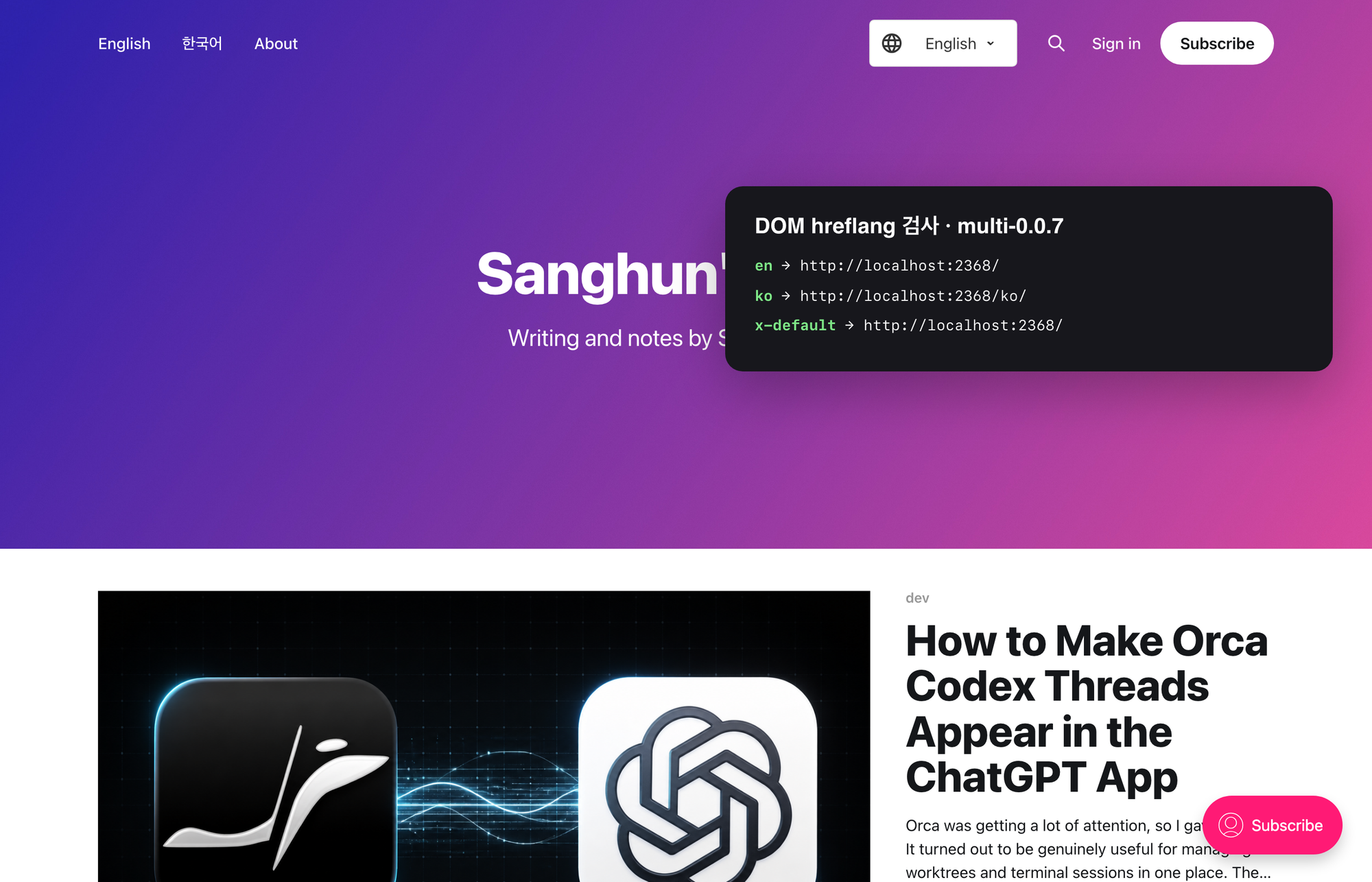
On the English home /, the three links en, ko, and x-default were generated.