Hostname Is Not a Device Identifier
Learn why macOS hostname can change between network contexts, how it caused duplicate Claude Code token usage counts, and why hw.model is a safer device identifier.

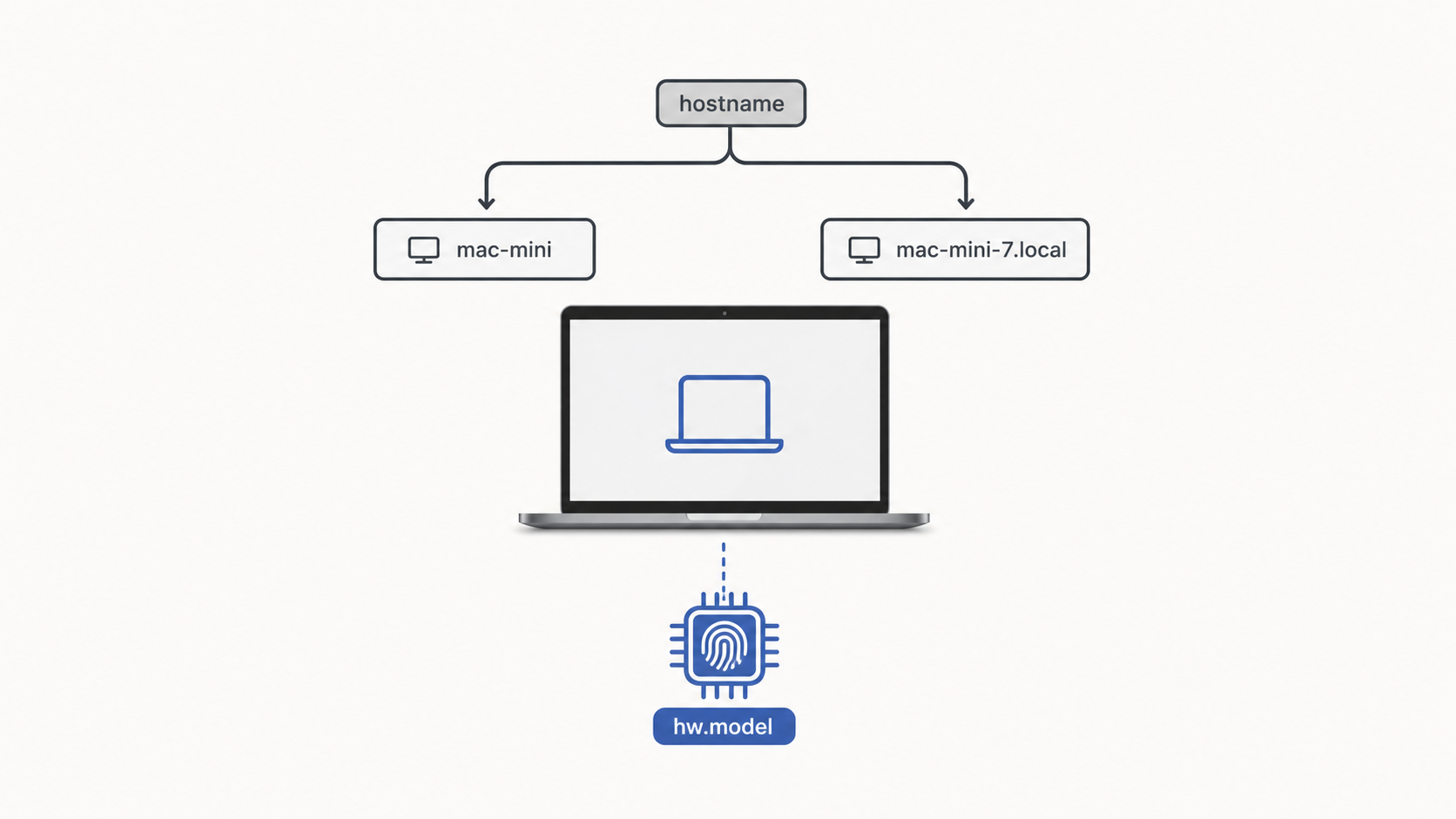
Did I really use that many tokens?
I was looking at the Claude Code status line as usual when one number looked wrong.
Last 30 Days $4038.03 · 5.1B tokensTwo days earlier it had been 2.5B. There was no way I had used another 3B tokens in between. If the number had doubled, something was being counted twice.
The aggregation setup
My ~/.claude directory is synced between a MacBook and a Mac mini through Syncthing. The token usage summary sits on top of that with a simple structure. Each machine writes only to a JSON file named after its own hostname, and the status line sums every JSON file in the directory with a *.json glob.
USAGE_DIR="$HOME/.claude/usage-summary"
HOSTNAME_SHORT="$(hostname -s | tr -d '\n\r' | tr -c 'a-zA-Z0-9.-' '_')"
CACHE_FILE="$USAGE_DIR/$HOSTNAME_SHORT.json"
Each machine owns its own file. Aggregation happens at the directory level. It seemed simple enough.
Then I opened the directory.
Mac.json
mini.json
Sanghuns-MacbookPro-M4Max.json
Three files. But there were only two machines.
Catching the duplicate with data
The first question was, "Are two of these files coming from the same machine?" ccusage reads the local ~/.claude/projects/**/*.jsonl session logs on the machine where it runs, so if two files came from the same machine, they could only be two snapshots of the same history at different points in time.
There were two checks.
First, the scale of the 30-day totals.
| File | last30 tokens |
|---|---|
Mac.json |
2,531,953,934 |
Sanghuns-MacbookPro-M4Max.json |
2,532,361,686 |
mini.json |
65,207,390 |
Both Mac.json and Sanghuns-MacbookPro-M4Max.json were around 2.5B. mini.json was 65M. It was not plausible that the Mac mini had suddenly used 40 times more tokens and landed at 2.5B. By scale alone, the two large files were almost certainly from the MacBook.
Second, exact daily equality. The today value in Mac.json for 2026-04-20 and the yesterday value in Sanghuns-MacbookPro-M4Max.json for the same date were identical, down to token counts, cost, and model breakdown. Two different machines do not accidentally produce the same breakdown at that level. The data came from the same projects directory.
So one MacBook was writing two files. The reason was now obvious: the filename depended on hostname, and the hostname was switching between two values.
The first fix failed
I deleted Mac.json as a stale file. That evening the status line was back at 5.1B. ls showed that Mac.json had been created again.
$ hostname -s
Mac
A few hours earlier the same command had returned Sanghuns-MacbookPro-M4Max. I had not switched machines or changed anything special about the network.
The idea that hostname could wobble like that ran against my intuition, so I checked it several times. The Mac mini always returned mini. Only the MacBook moved between names.
The three macOS names
macOS has three names.
ComputerName: the human-facing name shown in the GUI, such asSanghun's MacbookPro M4Max.LocalHostName: the Bonjour name, derived fromComputerNameand ASCII-normalized, such asSanghuns-MacbookPro-M4Max.HostName: the RFC 1178 Unix hostname. It exists only if explicitly set. Otherwise it is empty.
$ scutil --get ComputerName
Sanghun's MacbookPro M4Max
$ scutil --get LocalHostName
Sanghuns-MacbookPro-M4Max
$ scutil --get HostName
HostName: not set
If HostName is set, the hostname command uses it. If it is not set, the command falls back depending on context. The fallback may be derived from LocalHostName, it may come from a hostname supplied by DHCP, or it may come from some other network stack default. On my MacBook, Mac was that default fallback. Depending on the network path, the command returned either Mac or Sanghuns-MacbookPro-M4Max.
The Mac mini, on the other hand, had HostName explicitly set to mini. No fallback was needed, so it stayed stable.
In short, hostname -s is not a reliable way to answer "which machine is this running on?" unless the machine has been configured in a way that makes it reliable. On a machine without HostName, it can drift.
Comparing alternatives
There were two broad fixes. One was to stabilize hostname. The other was to stop using hostname and pick a more stable device identifier.
| Option | Upside | Downside |
|---|---|---|
sudo scutil --set HostName ... |
Fixes the root cause. The whole system benefits. | Requires sudo once. Some IT tooling may overwrite it. |
sysctl -n hw.model |
Kernel sysctl, stable, only a couple of script lines. | Less readable filenames, such as Mac16,5.json. |
ioreg IOPlatformUUID |
Truly unique. | UUID filenames are ugly. |
| Environment variable override | Human-chosen names. | Manual setup on every machine. |
| Per-device mapping table | Pretty names. | The table has to be maintained as devices change. |
I chose sysctl -n hw.model for two reasons. First, the change was three lines in ccusage-cache.sh. Second, it did not require a system-wide change or sudo. A collision would require me to own two Macs with exactly the same model identifier and run Claude Code on both. That is not true now, and it is a rare future case.
The change
~/.claude/ccusage-cache.sh
# Before
HOSTNAME_SHORT="$(hostname -s 2>/dev/null | tr -d '\n\r' | tr -c 'a-zA-Z0-9.-' '_')"
[ -z "$HOSTNAME_SHORT" ] && HOSTNAME_SHORT="unknown"
CACHE_FILE="$USAGE_DIR/$HOSTNAME_SHORT.json"

# After
HOST_ID="$(sysctl -n hw.model 2>/dev/null | tr -d '\n\r')"
[ -z "$HOST_ID" ] && HOST_ID="unknown"
CACHE_FILE="$USAGE_DIR/$HOST_ID.json"
statusline-command.sh did not need any changes. Its aggregation logic already reads every *.json file in the directory, so the filename rule can change without touching the summing logic.
After deleting the stale file and running the script once, the MacBook produced the new file. Because ~/.claude is synced through Syncthing, the script change also reached the Mac mini automatically. On the Mac mini I only had to delete the old mini.json and run the script once.
The final state:
Mac16,5.json    # MacBook  (last30 = 2.54B)
Mac16,11.json   # Mac mini (last30 = 66M)
Total: 2.6B. The number I expected.
Side note: Apple changed model naming starting with M4
When I first saw Mac16,11, I was not sure it was the Mac mini. I was used to model identifiers that started with the product family, such as Macmini.
It turns out Apple removed the product-family prefix from model identifiers starting with the M4 generation. Older identifiers were readable, like Macmini9,1 or MacBookPro18,3. Now they are all MacN,X.
Mac16,5= MacBook Pro 14-inch M4 MaxMac16,11= Mac mini M4 Pro
You cannot tell which file belongs to which machine just from the filename. Readability went down, but the trustworthiness of hw.model as a stable identifier went up. The old product-family prefix helped humans understand the category. Apple giving that up may also be a signal that product boundaries inside a generation are getting blurrier. Mac Studio overlaps with Mac Pro. Mac mini overlaps with Mac Studio.
Summary
Do not use hostname -s as a device identifier. On a Mac where HostName is not set, it can move between DHCP and LocalHostName fallbacks.
For this script, sysctl -n hw.model was the lightest replacement. No sudo, just a few lines of shell. The only cost is less readable filenames.