> ## Content Index
> Fetch the complete content index at: https://sanghunkang.com/llms.txt
> Use this file to discover other available public pages before exploring further.
# Multilingual Ghost CMS Blog: 7. Adding hreflang
- URL: https://sanghunkang.com/multilingual-ghost-cms-7-home-hreflang-and-theme-name-en/
- Published: 2026-09-26T14:38:00.000Z
- Updated: 2026-09-26T14:41:29.000Z
- Author: Sanghun Kang
- Tags: Ghost, #en, #multi
The English home is served at `/`, and the Korean home at `/ko/`, but search engines had no information indicating that the two pages were versions in different languages.
Providing users with a Language selector and explaining multilingual relationships to search engines are separate issues. For search engines, you need to use `hreflang` to indicate the relationship between each language URL.
In 0.0.7, I added `hreflang` to the English and Korean home pages.

[0.0.7 · Rename theme folder](https://github.com/sanghunka/ghost-multilingual-theme/commit/69c5e15?ref=sanghunkang.com)
[0.0.7\~0.0.8 · Home and post hreflang](https://github.com/sanghunka/ghost-multilingual-theme/commit/5492342?ref=sanghunkang.com)
## The hreflang needed for the home page
The home URLs for this blog are as follows.
```text
English: https://sanghunkang.com/
Korean: https://sanghunkang.com/ko/
```
I wanted to put the following three links in the `` of both pages.
```html
```
`en` and `ko` point to the home page for each language. `x-default` is the default page to use when the user's language does not clearly match either one. Since this blog uses English as the default language, I set it to `/`.
## Why `{{#is "home"}}` did not solve it
At first, I tried to check whether the current page was the home page in `default.hbs` and then output `hreflang`.
```handlebars
{{#is "home"}}
...
{{/is}}
```
However, in Ghost, `{{#is "home"}}` is true only at the site root, `/`. Since `/ko/` is the first page of a Collection created with `routes.yaml`, Ghost does not treat it as the site home.
As a result, `hreflang` appeared on the English home, but not on the Korean home.
## Handling it with contentFor
I changed it so that `index-en.hbs` and `index-ko.hbs`, which are used by each language home, pass the same `hreflang` block, and `default.hbs` outputs it in ``.
### index-en.hbs
```handlebars
{{!< index}}
{{#contentFor "lang"}}en{{/contentFor}}
{{#contentFor "hreflang-home"}}
{{/contentFor}}
```
### index-ko.hbs
```handlebars
{{!< index}}
{{#contentFor "lang"}}ko{{/contentFor}}
{{#contentFor "hreflang-home"}}
{{/contentFor}}
```
Both templates pass the same set of URLs. Since `hreflang` on multilingual pages must reference each other, both the English page and the Korean page should have the same list of language URLs.
### default.hbs
Output the passed block before `{{ghost_head}}`.
```handlebars
{{{block "hreflang-home"}}}
{{ghost_head}}
```
This approach works regardless of whether Ghost treats `/ko/` as the site home. If the page uses `index-ko.hbs`, the `hreflang-home` block is passed.
## Checking the result
Open the developer tools on the English and Korean home pages respectively, and run the code below.
```javascript
[...document.querySelectorAll('link[rel="alternate"][hreflang]')]
.map(link => [link.hreflang, link.href]);
```
On both pages, all three entries should appear: `en`, `ko`, and `x-default`.
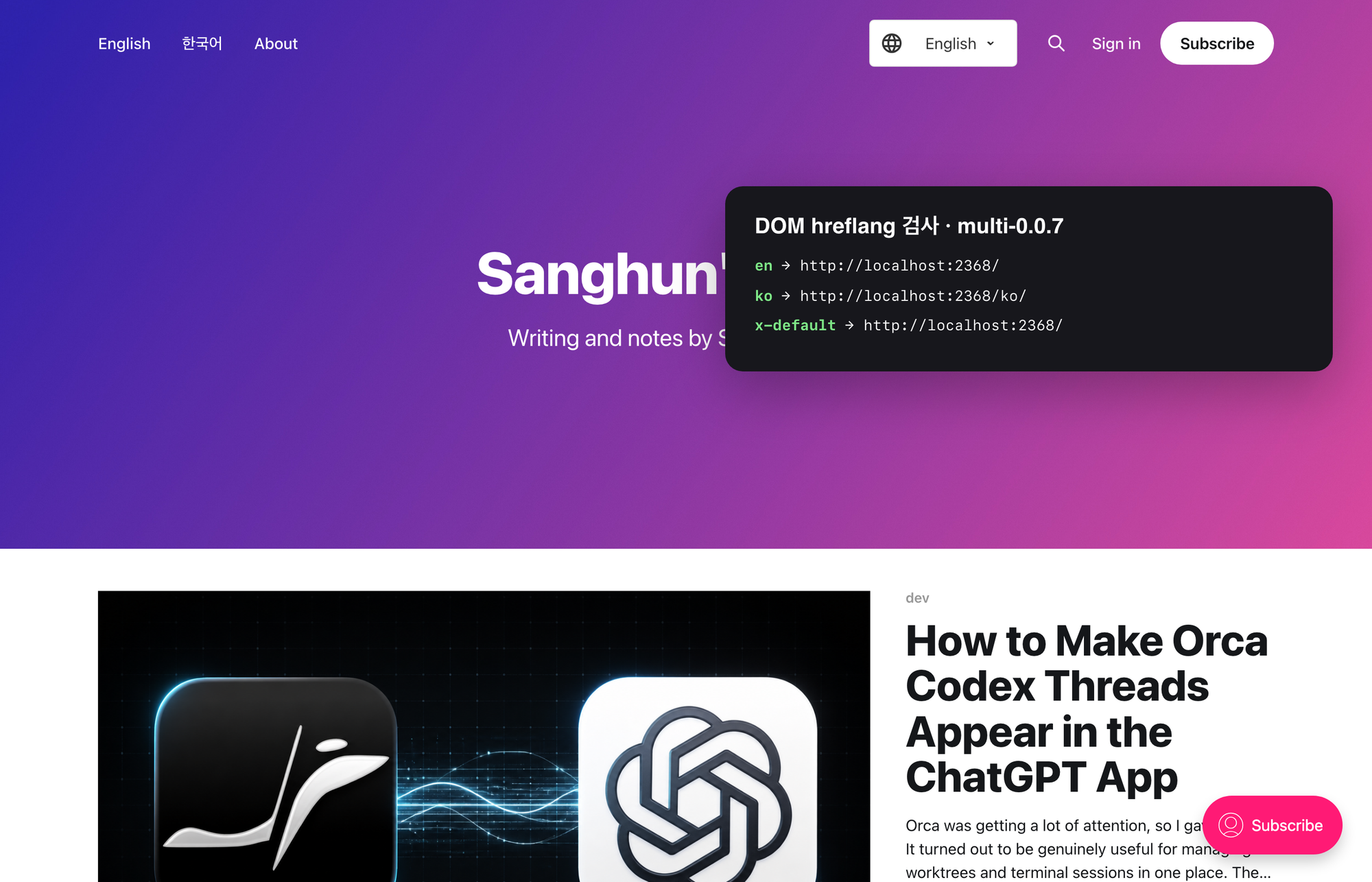
On the English home `/`, the three links `en`, `ko`, and `x-default` were generated.